Access all In Easy Steps books for just £5 a month
Menu

View or download first chapter and Table of Contents – FREE!
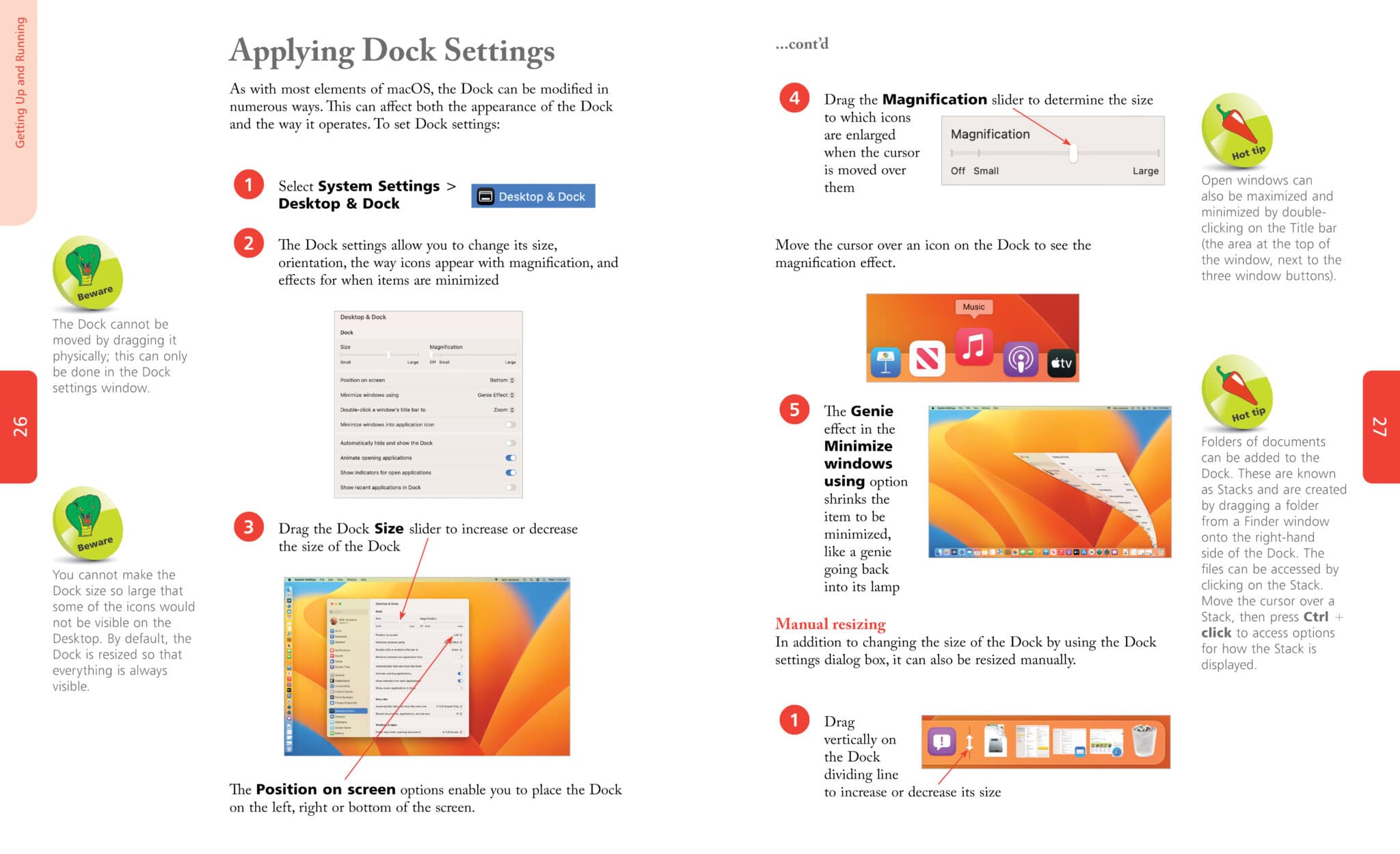
Discover the true potential of the stylish world of Apple computers with macOS in easy steps. Using macOS Ventura to illustrate, this primer will have you up and running, and getting more out of your Mac in no time. Areas covered include:
Ideal for newcomers as well as those seeking to get more from their Mac computer.
About the author
Nick Vandome is an IT writer and trainer who specialises in digital imaging and web authoring subjects. In addition to his writing, he also works designing websites and runs training courses. Before he started working with computers he wrote books about working and travelling abroad.