In Easy Steps
  • Home
  • Books by Category
    • Special Offers
    • Coming soon
    • Accounting and Finance
    • Apple Mac Computing
    • Business and Professional Skills
    • Design and Graphics
    • Digital Lifestyle
    • For Seniors
    • Internet and Web
    • Microsoft Office
    • Operating Systems
    • Personal Computing
    • Programming
    • Web Development
    • All Books
  • Bookstore
  • News
  • About In Easy Steps
    • About the Series
    • Customer and Press Reviews
    • Where can I buy your books?
    • Write for us
    • Contact us
    • International Partners
    • Terms and Conditions
  • Resource Centre
    • Articles
    • Downloads
    • Sample Pages
  • Your Account
    • Checkout
    • Sign In
    • Transaction Results
    • View your Basket
Home » Laptops for Seniors in easy steps, Windows 7 Edition

Laptops for Seniors in easy steps, Windows 7 Edition

In Easy Steps » Browse our Bookstore » Personal Computing » Laptops for Seniors in easy steps, Windows 7 Edition
Laptops for Seniors in easy steps, Windows 7 Edition

By Nick Vandome
£10.99

Publication: January 25, 2010
Pages: 192
ISBN: 978-1-84078-389-6


About the book

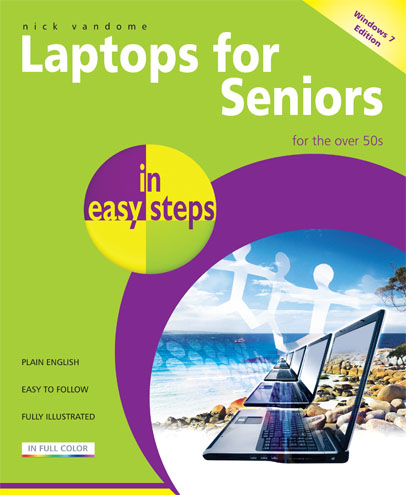
Laptops have often been seen as the domain mainly of students and businessmen. However, they are also an excellent option for senior users: their mobility means that they can be used in any location and with the advent of wireless technology they can be used in a variety of public places to surf the Web or keep in touch with family and friends.Laptops for Seniors in Easy Steps shows how these portable computers are ideal for the over 50s.

Now covering laptops using the Windows 7 operating system, the book begins by looking at some of the ergonomic issues surrounding laptops and shows how to be as comfortable as possible when using them and transporting them. It then gives an overview of the workings of laptops, including the software that is provided with them and some of the new features in Windows 7. Issues such as using your laptop on vacation and sharing it with other family members are then looked at, to show how laptops are versatile and family-friendly.

Extensive coverage is also devoted to networking and using a laptop wirelessly, with particular attention given to accessing the Internet from wireless locations (Hot Spots) such as airports, coffee shops and libraries.

Laptops for Seniors in Easy Steps demonstrates that the over 50s can have the freedom to take their computing and wireless technology with them at all times and be fully paid up members of the mobile computing revolution.


About the author

Nick Vandome is an IT writer and trainer who specialises in digital imaging and web authoring subjects. In addition to his writing, he also works designing websites and runs training courses. Before he started working with computers he wrote books about working and travelling abroad.


Contents

  1. Choosing a Laptop
  2. Around a Laptop
  3. Battery Issues
  4. Laptop Software
  5. Internet and Email
  6. Sharing with Your Family
  7. On Vacation
  8. Laptop Networking
  9. Going Wireless
  10. Troubleshooting


Customer Reviews

Reader review from Amazon.co.uk

"I'm not a senior but bought this book as I wanted a plain language, straight forward book telling me what I needed to learn. It didn't disappoint and I wouldn't hesitate to buy this type of book for seniors again. I highly recommend it for anyone who has very little starting knowledge and just wants to know how to do the basics in a straight forward way. It's easy to read cover to cover and to use for reference. Overall, a very good buy."

Reader review from Amazon.co.uk

"We bought this for my husband's parents when they got their first laptop (we chose this one as we didnt want to get the "for dummies" one, as they might have taken offence!) and it has been an absolute godsend. ... we needed something nice and straightforward to teach them the basics and this book certainly has chapters on everything they could possibly need to know. Since reading it they are uploading and sharing their photos with no problem, they have sussed out their email completely and even using Firefox rather than Internet Explorer. Proof of how helpful this book is, is the fact that without a single bit of input from us, they are even managing to create their own spreadsheets in Excel. I would certainly recommend this book to anyone, not just a senior citizen, who is on their first laptop and needs some guidance."


Buy from Amazon.co.uk

Buy from Amazon.com


Buy direct from us:

Quantity
Product in stock

Price: £10.99

Loading Updating cart...
Avg. Customer Rating: 12345 (0)
Your Rating: Saved

People who bought this item also bought

A Parent’s Guide to the iPad in easy steps£10.99£8.99

LoadingUpdating...

Leave a Comment Cancel reply

You must be logged in to post a comment.

How to Buy

We are currently only delivering to the UK via this website.

Click here for links and details of other stockists in the UK

Click here for links and details of stockists outside the UK

Download our app

Download the In Easy Steps App to see digital versions of our books!

Shopping Cart

Your shopping cart is empty
Visit the shop

Follow Us!

Follow Us on Facebook

Latest Books

  • No Image
    Windows 7 for Seniors in easy steps & Windows 7 in easy steps Special Edition Set
  • No Image
    Windows 7 in easy steps & Windows 7 in easy steps Special Edition Set
  • iPad for Seniors in easy steps
    iPad for Seniors in easy steps
  • SQL in easy steps, 3rd edition
    SQL in easy steps, 3rd edition
  • C Programming in easy steps, 4th edition
    C Programming in easy steps, 4th edition

Featured Book

iPad for Seniors in easy steps
£10.99
iPad for Seniors in easy steps

Further Information

  • Feedback
  • Accessibility
  • Privacy Policy
  • Sitemap
  • Terms of use

Subscribe to our newsletter

* = required field

Download our app

Download the In Easy Steps App to see digital versions of our books!

© 2012 In Easy Steps