Access all In Easy Steps books for just £5 a month
Menu

This 4th edition is updated for Microsoft 365.
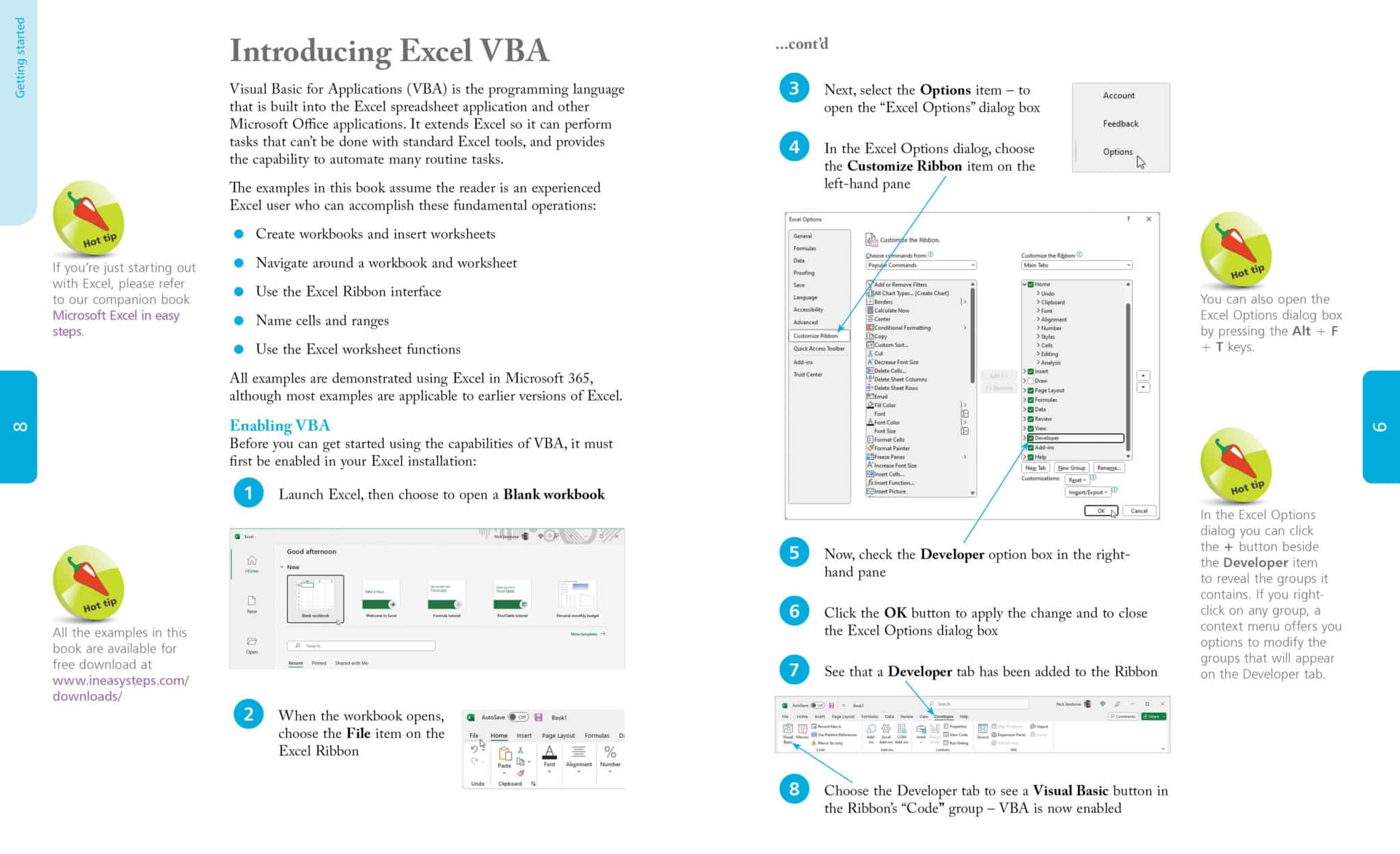
Get more out of Microsoft Excel and save time by learning Excel VBA (Visual Basic for Applications). Excel VBA in easy steps, 4th edition demonstrates VBA macro programming in a clear and concise manner, and will take your Excel proficiency to the next level:
Whether you’re upgrading to Excel in Office 365 or new to macro programming, use this guide to master Excel VBA essentials – in easy steps!
Comes with free downloadable code to help you get started with Excel VBA right away!
About the author
Mike McGrath now lives in South-east Europe, on the sun-kissed shores of the Aegean Sea. Mike gained his extensive knowledge of computer languages while working as a developer contracting to companies around the world. His interests include coins of ancient Greece, dining-out with friends, and the ongoing evolution of the world wide web.